Batch Controller
Keep recipe parameters, production orders and operator changes connected.
Manage process recipes and batch information through a web interface connected to the PLC. Keep parameter changes, operator actions, and production orders traceable.
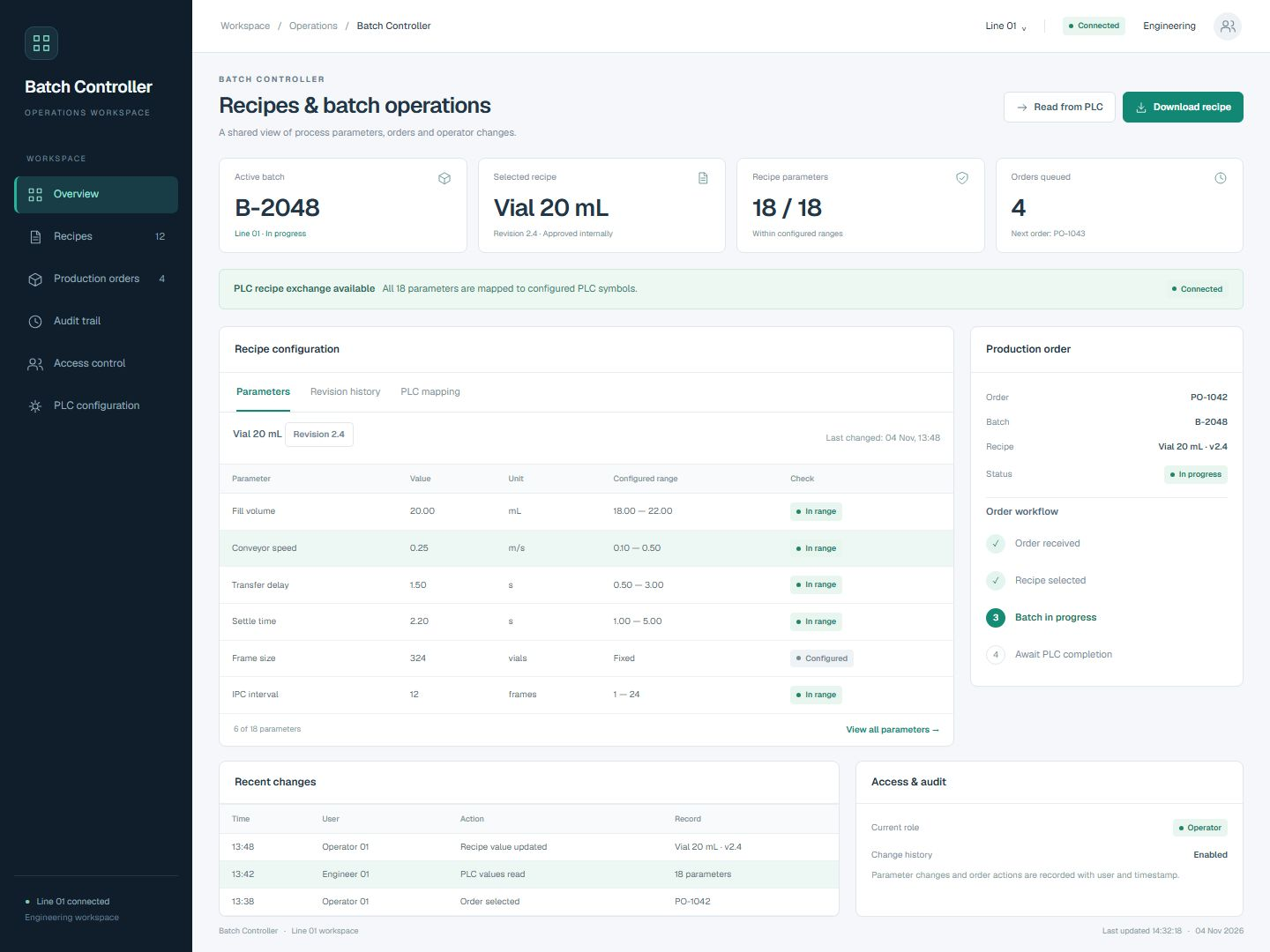 Open full-size screenshot
Recipes and batch operations in one workspace
Review parameter values, units and configured ranges alongside the selected production order, PLC exchange controls and recent operator actions.
Make recipe changes visible and traceable.
Manage recipes consistently
Create and edit process recipes, validate configured parameter ranges, and read or download recipe values through the ADS connection.
Track who changed what
Use operator and administrator roles with an audit trail that records timestamps, users, actions, and changed values for review.
Connect batch and order workflows
Configure PLC symbols for batch names, IDs, and descriptions. Read production orders from a configured JSON source and record order closure when the PLC signals completion.
From the selected recipe to the completed order.
Select the recipe and order
Choose the process recipe and read the production order from the configured JSON source. Associate the order with the batch information.
Check the parameters
Review recipe values against configured parameter ranges and edit them using the permissions assigned to the operator or administrator.
Exchange values with the PLC
Read recipe values from the PLC or download the selected recipe through the ADS connection and configured symbol mapping.
Track changes and completion
Keep a timestamped audit trail of users, actions and changed values. Record order closure when the PLC signals completion.
The details that shape your installation.
- Operator interface
- Web interface for recipes, batch information and production orders.
- PLC connection
- Recipe read/download through ADS using configured PLC symbols.
- Parameter checks
- Configured ranges for recipe parameters before PLC exchange.
- Access
- Operator and administrator roles.
- Audit trail
- Timestamps, users, actions and changed values available for review.
- Batch mapping
- Configurable PLC symbols for batch names, IDs and descriptions.
- Order handling
- Configured JSON order source and order closure driven by the PLC completion signal.