Frame Tracker
Connect batch history and IPC results to the frames that need review.
Track frames, filled vials, and in-process control results across a production batch. Give production and quality teams a clear record of what happened and which frames need reinspection.
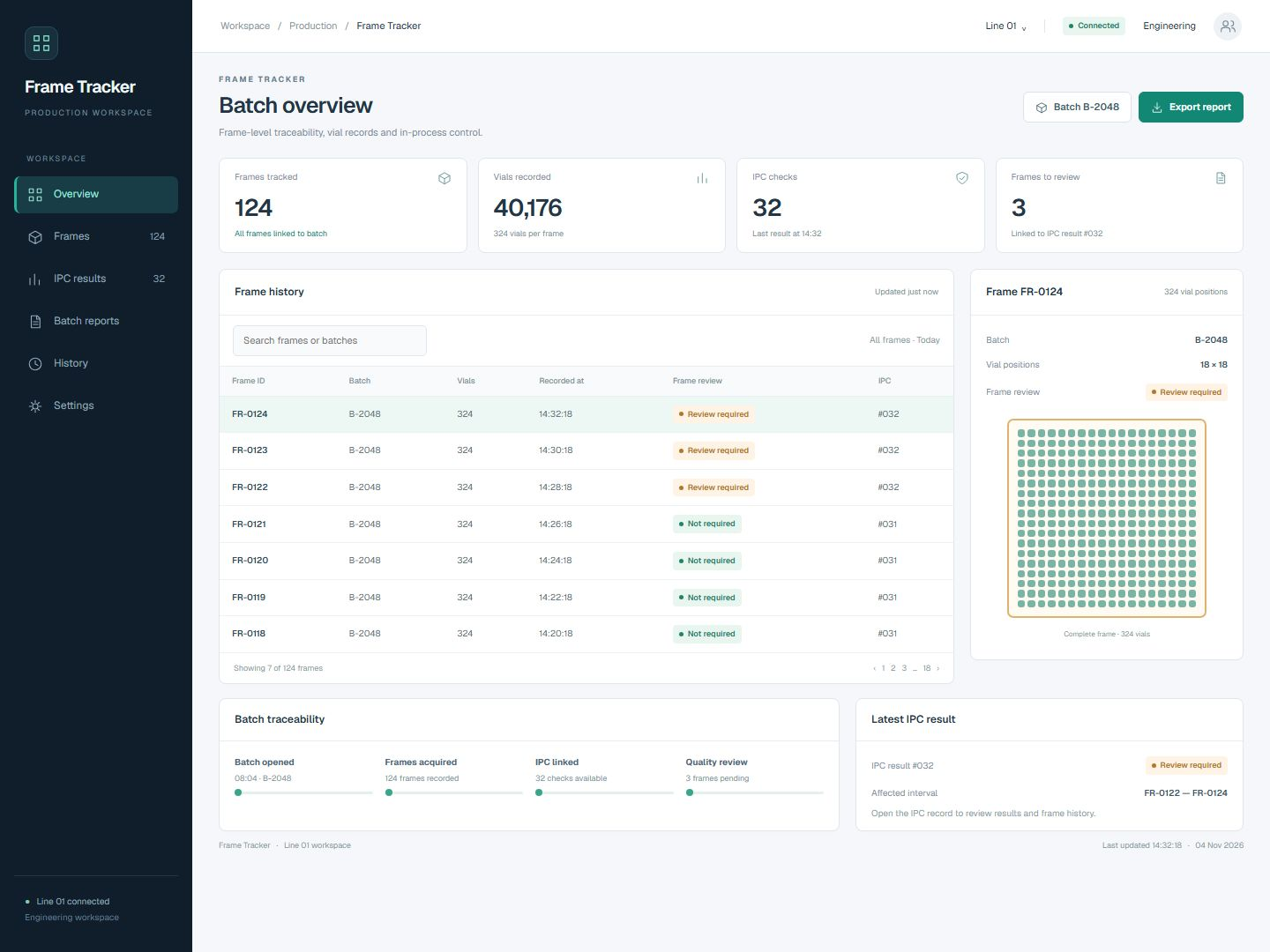 Open full-size screenshot
Batch history with complete-frame review
The batch overview links frame records to IPC results. Review required or not required applies to the entire frame; sampled and rejected vials are not shown as positions inside it.
Follow each frame through the production batch.
Capture production at frame level
Acquire batch, frame, and vial data directly from Beckhoff PLCs through ADS and store a structured production history.
Make IPC results actionable
Associate in-process control results with frames and calculate reinspection intervals after out-of-specification results, supporting quality review and release decisions.
Give teams a shared view
Review batch statistics, frame history, and IPC results in a web dashboard, and export PDF or Excel batch reports for production and quality workflows.
From recorded frames to a focused quality review.
Record the frame
Acquire the batch, frame and vial data from the Beckhoff PLC through ADS and associate the frame with its production batch.
Link the IPC result
Keep the in-process control result with the relevant production history so its context can be traced back to recorded frames.
Identify affected frames
Use out-of-specification IPC results to calculate the reinspection interval. Flag complete frames within that interval for review.
Review and report
Inspect frame history, batch statistics and linked IPC records, then export the batch report for production and quality teams.
The details that shape your installation.
- Machine connection
- Batch, frame and vial data acquired from Beckhoff PLCs through ADS.
- Production records
- Structured batch history linking frame IDs, vial data and IPC results.
- Frame contents
- Vials recorded in the frame. Vials removed for sampling or rejected before framing do not occupy frame positions.
- Review scope
- The complete frame is marked as requiring review or not requiring review.
- Reinspection
- Affected frame intervals calculated from out-of-specification IPC results.
- Operator interface
- Web dashboard for batch statistics, frame history and IPC results.
- Reporting
- PDF and Excel batch reports for production and quality workflows.