OPC UA Server
Give plant software a defined interface to the TwinCAT machine.
Our OPC UA server connects TwinCAT PLCs to plant software through ADS, exposing selected machine data and PLC methods through a configurable OPC UA interface.
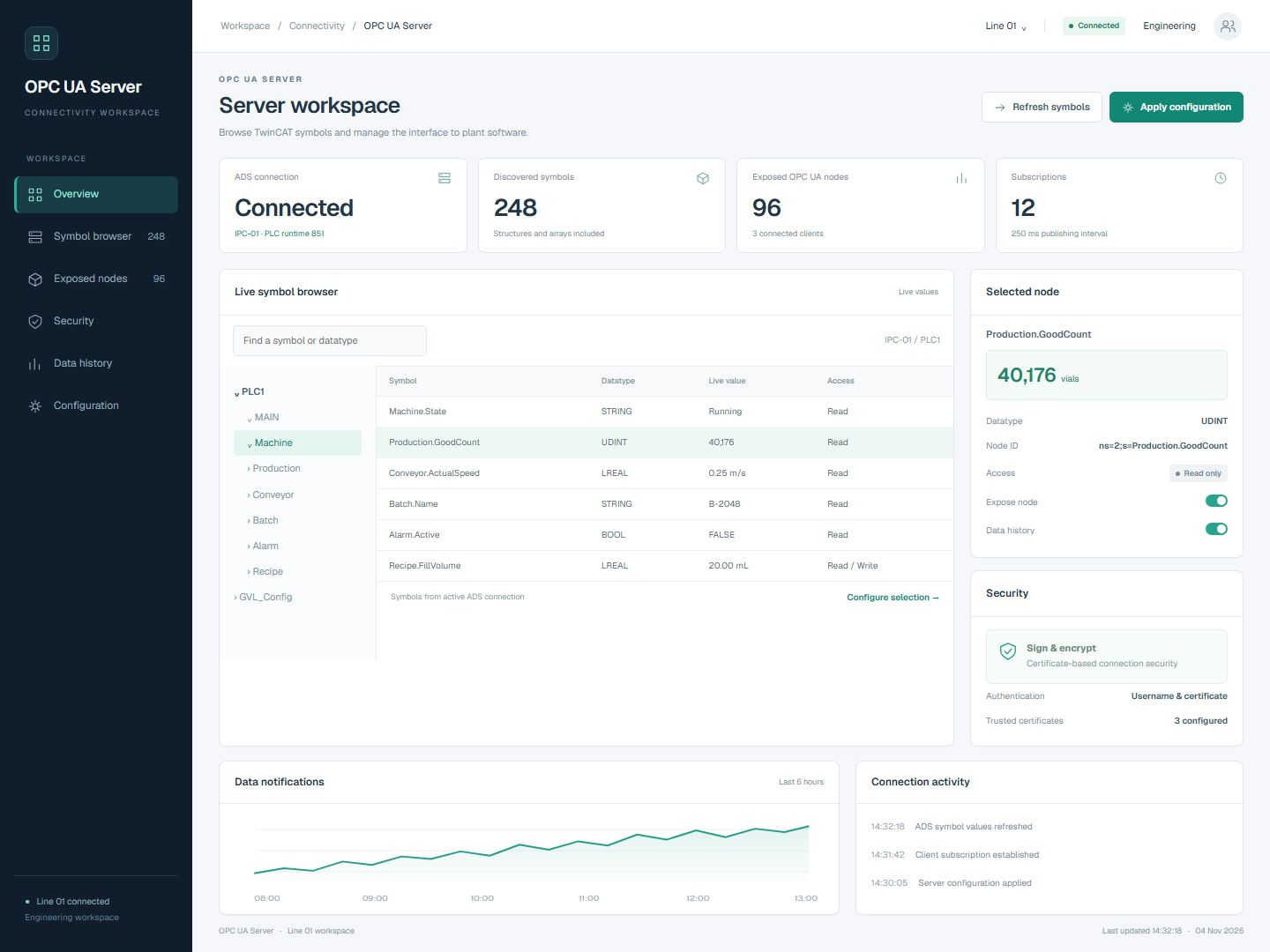 Open full-size screenshot
Symbols, live values and connection security
Browse the PLC symbol tree, select exposed nodes and inspect their datatype, value and access settings in one workspace.
Choose the machine data your clients can use.
Connect existing PLC interfaces
Discover live TwinCAT symbols and datatypes through ADS, including supported structures and arrays. Select which variables to expose without maintaining a separate TPY export.
Control the interface
Configure writable variables, authenticated access, and certificate-based encryption. Expose selected PLC RPC methods and track completion of longer-running stepchain operations.
Run alongside production
Deploy as a console application or Windows service, with optional data history and ADS change notifications for selected machine values.
From the PLC symbol table to an OPC UA client.
Connect to TwinCAT
Configure the ADS connection to the target PLC and discover its live symbols and datatypes, including supported structures and arrays.
Define the interface
Select the variables to expose, set read or write access, and configure the PLC methods needed by the client application.
Configure client access
Set authentication and certificate-based encryption, then check access with the intended OPC UA clients.
Exchange machine data
Read exposed values, subscribe to changes and call configured methods. Enable optional history for the values that need it.
The details that shape your installation.
- Machine connection
- TwinCAT PLC communication through ADS.
- Symbol discovery
- Live symbol and datatype discovery; no separately maintained TPY export is needed.
- Client interface
- Selected OPC UA nodes with configured read/write access and supported PLC RPC methods.
- Long-running actions
- Completion tracking for configured stepchain operations.
- Connection security
- Authenticated access and certificate-based encryption.
- History and notifications
- Optional data history and ADS change notifications for selected values.
- Deployment
- Console application or Windows service.