Zenon Plugins
Export the records the operator has selected in the runtime.
Extend Zenon operator workflows with practical runtime add-ins, including alarm and event exports that follow the active screen filter.
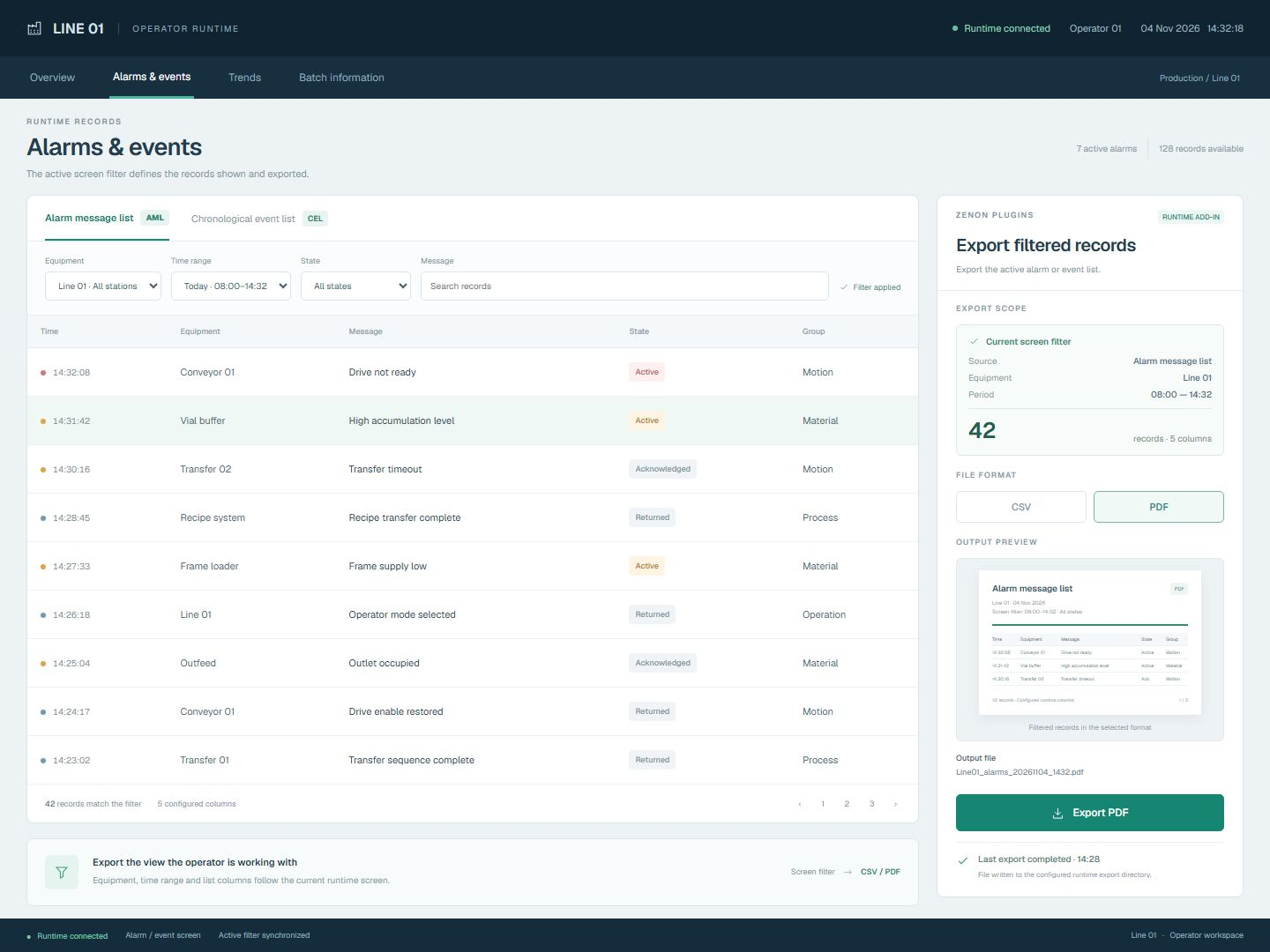 Open full-size screenshot
Filtered runtime records with an export add-in
The export panel sits alongside the alarm or event list. It uses the active screen filter and configured list columns to define the records written to CSV or PDF.
Keep the export aligned with the operator's view.
Export the filtered view
Export alarm message lists and chronological event lists using the active Zenon screen filter, so the output follows the operator's selected scope.
Create usable records
Generate CSV files or PDF output from HMI export commands, using the configured list columns and the runtime project's export directory.
Keep operation visible
Show export status and results through runtime variables, with diagnostic logs to help engineering and service teams investigate failed exports.
From the active list filter to a usable file.
Set the runtime filter
Open the alarm message list or chronological event list and select the equipment, time range and other criteria available in that screen.
Choose CSV or PDF
Use the HMI export command for the required file format. The export uses the current screen filter and configured list columns.
Write the selected records
Generate the output in the runtime project's configured export directory so the file follows the selected list scope.
Check the result
Use runtime status variables to show the export outcome. Diagnostic logs help engineering and service teams investigate failures.
The details that shape your installation.
- Integration
- Add-ins within an existing Zenon HMI or SCADA runtime project.
- Supported lists
- Alarm message list (AML) and chronological event list (CEL).
- Record selection
- The active runtime screen filter determines the export scope.
- Output formats
- CSV files and PDF output using the configured list columns.
- Operator command
- Export initiated through HMI commands in the runtime project.
- File destination
- The export directory configured for the runtime project.
- Status and diagnostics
- Export status and results through runtime variables, with diagnostic logs for investigation.